RADHawk

PROJECT SNAPSHOT


Helping radiologists access critical diagnostic resources without disrupting their workflow.

Despite its powerful recommendation engine, RADHawk struggled with adoption because it didn't fit naturally into radiologists' existing workflows.

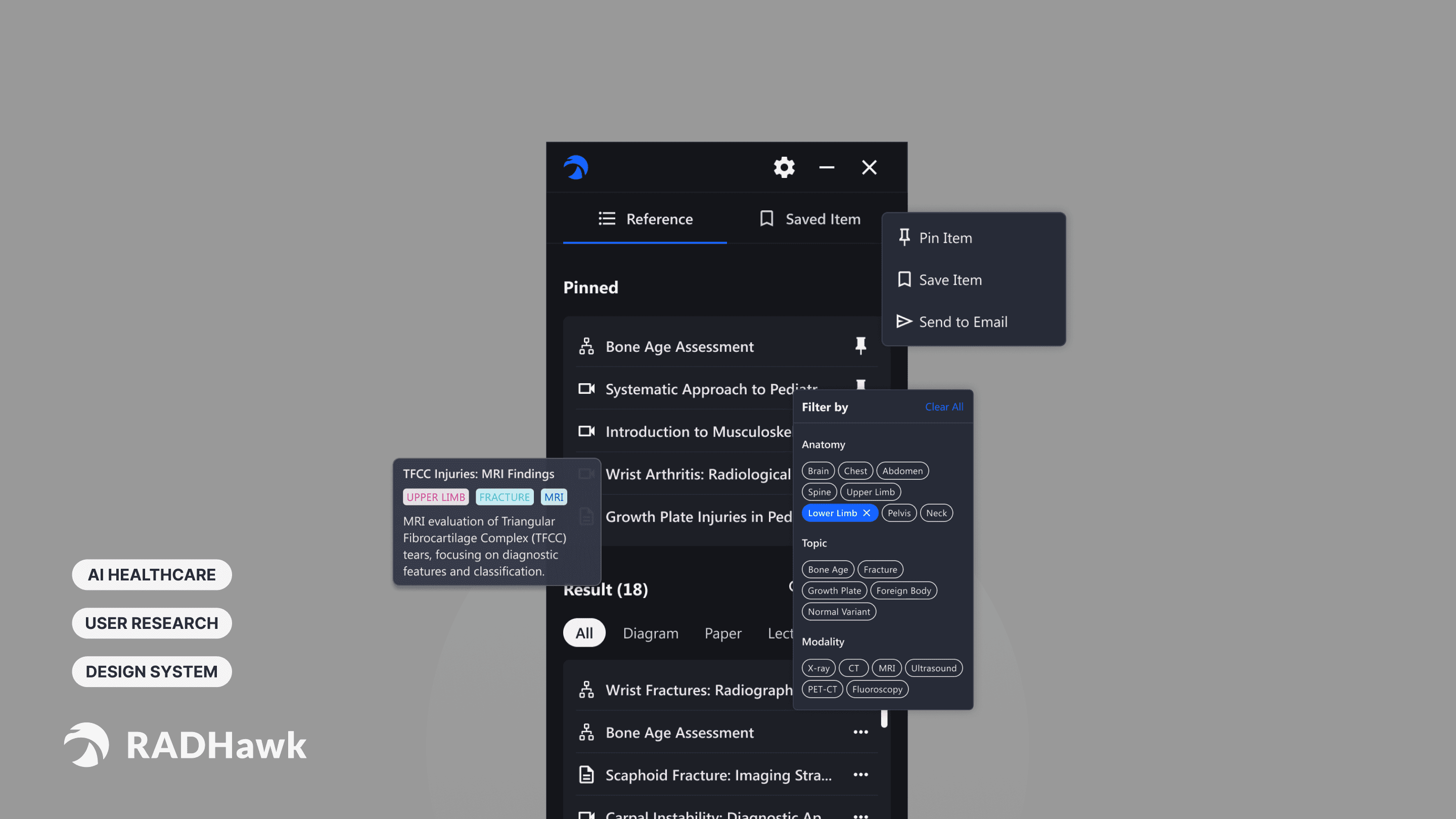
RADHawk is an AI-powered radiology support platform developed at the Children's Hospital of Philadelphia (CHOP). By analyzing the imaging study a radiologist is reviewing, it surfaces relevant reference cases, calculators, research articles, and clinical resources directly within the diagnostic workflow. We redesigned the platform to improve usability, reduce cognitive load, and help clinicians access critical information more efficiently during diagnosis.

Product Solution

01 — Dark Mode Reduce visual fatigue during diagnosis.

  • Reduce eye strain during extended image review

  • Better align with existing PACS systems

  • Improve focus on diagnostic content

02 — Resource Management Keep important resources within reach.

  • Pin frequently used resources

  • Bookmark references for later review

  • Send resources directly to your inbox

03 — Intelligent Filtering Surface the right information in seconds.

  • Search by keywords and clinical topics

  • Filter by tags, roles, and popularity

  • Narrow results by resource type

04 — Personalized Settings Adapt to Different Clinical Roles

  • Customize role-based experiences

  • Switch between light and dark themes

  • Adjust viewing preferences

RADHawk

PROJECT Overview


Helping radiologists access critical diagnostic resources without disrupting their workflow.

Despite its powerful recommendation engine, RADHawk struggled with adoption because it didn't fit naturally into radiologists' existing workflows.

RADHawk is an AI-powered radiology support platform developed at the Children's Hospital of Philadelphia (CHOP). By analyzing the imaging study a radiologist is reviewing, it surfaces relevant reference cases, calculators, research articles, and clinical resources directly within the diagnostic workflow. We redesigned the platform to improve usability, reduce cognitive load, and help clinicians access critical information more efficiently during diagnosis.

Product Solution

01 — Dark Mode Reduce visual fatigue during diagnosis.

  • Reduce eye strain during extended image review

  • Better align with existing PACS systems

  • Improve focus on diagnostic content

  • Reduce eye strain during extended image review

  • Better align with existing PACS systems

  • Improve focus on diagnostic content

02 — Resource Management Keep important resources within reach.

  • Pin frequently used resources

  • Bookmark references for later review

  • Send resources directly to your inbox

  • Pin frequently used resources

  • Bookmark references for later review

  • Send resources directly to your inbox

03 — Intelligent Filtering Surface the right information in seconds.

  • Search by keywords and clinical topics

  • Filter by tags, roles, and popularity

  • Narrow results by resource type

  • Search by keywords and clinical topics

  • Filter by tags, roles, and popularity

  • Narrow results by resource type

04 — Personalized Settings Adapt to Different Clinical Roles

  • Customize role-based experiences

  • Switch between light and dark themes

  • Adjust viewing preferences

  • Customize role-based experiences

  • Switch between light and dark themes

  • Adjust viewing preferences

my Most memorable things

How might we help users across all levels of expertise quickly find and apply
the information they need in RADHawk?

What stayed with me most wasn't a feature—it was the process. I learned how to design for cognitive load in high-pressure healthcare settings, how to use research to drive product decisions, and how to balance user needs with technical feasibility when defining an MVP alongside engineers and clinicians.

design IMPACT

The redesign increased CSAT from 64 to 93, improved NPS from 11.8 to 80, and reduced task completion time by 46.3 seconds. Since handoff, 60% of the designs have moved into implementation, and positive feedback from CHOP led to future collaboration opportunities.

my memorable things for this project

How might we help users across all levels of expertise quickly find and apply
the information they need in RADHawk?

What stayed with me most wasn't a feature—it was the process. I learned how to design for cognitive load in high-pressure healthcare settings, how to use research to drive product decisions, and how to balance user needs with technical feasibility when defining an MVP alongside engineers and clinicians.

The redesign increased CSAT from 64 to 93, improved NPS from 11.8 to 80, and reduced task completion time by 46.3 seconds. Since handoff, 60% of the designs have moved into implementation, and positive feedback from CHOP led to future collaboration opportunities.

Timeline

2025.2-2025.5

ROLES

Lead UX Designer

teams

4-Person Team + CHOP RADHawk Team

tools

Figma, Maze, Miro, FigJam,ChatGPT

Design Process

1. Uncovering Workflow Patterns Through Mixed-Method Research

Heuristic Evaluations

Contextual Inquiry

Focus Group Facilitation

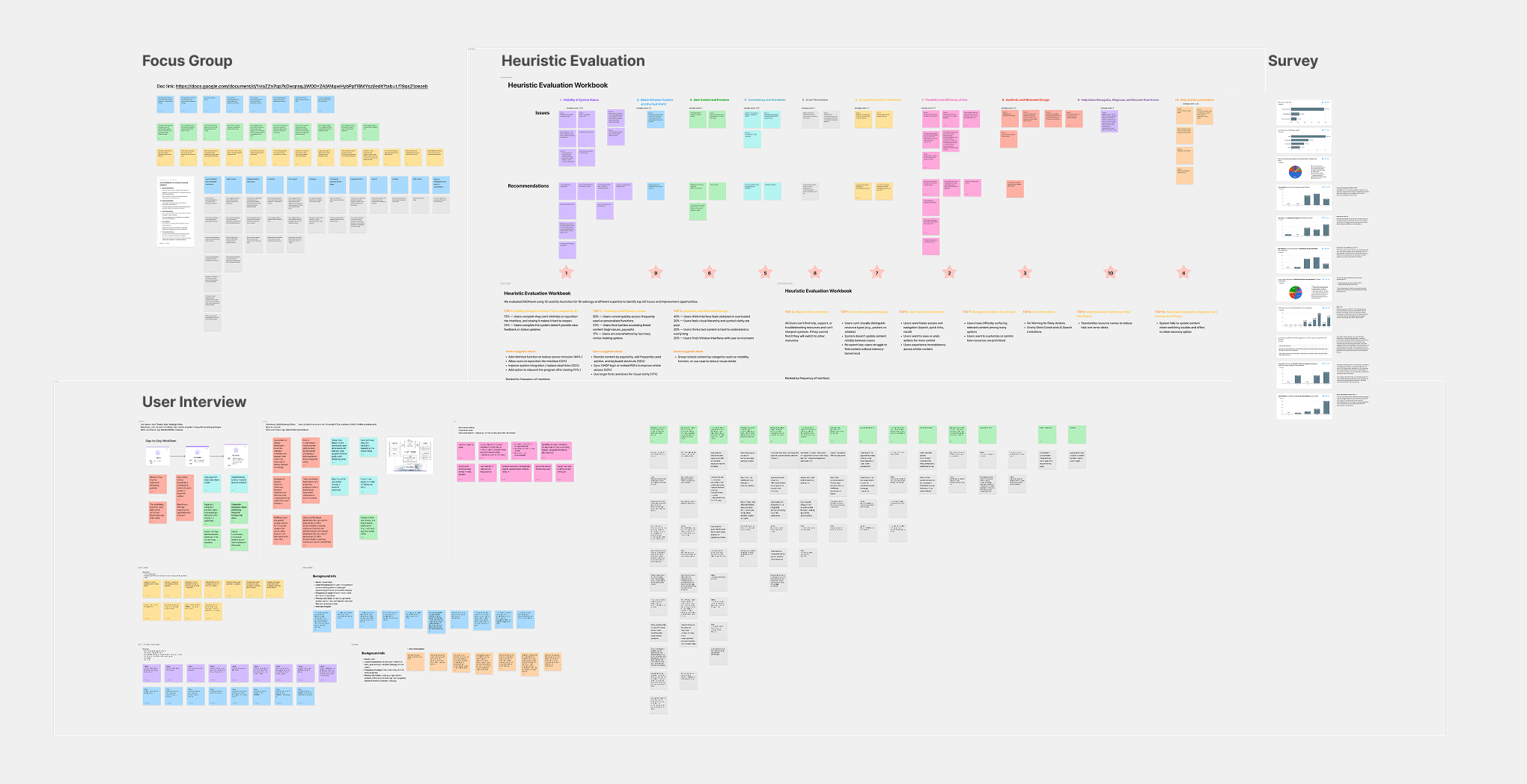
To understand why RADHawk struggled with adoption, we first conducted site visits and workflow observations to see how radiologists interacted with the platform in real clinical settings. We then combined four complementary research methods: 20+ surveys to measure satisfaction and recommendation intent, focus groups with 18 radiologists to uncover shared pain points across experience levels, heuristic evaluations to identify usability issues, and 21 in-depth interviews to understand diagnostic workflows and decision-making behaviors.
2. Affinity Mapping Revealed Four Critical User Needs

Affinity Mapping

Healthcare UX Design system

Ideation

After synthesizing the findings through affinity mapping, four recurring pain points emerged: irrelevant recommendations, difficulty finding and revisiting resources, confusing information organization, and visual fatigue during diagnosis.These findings not only shaped the redesign strategy, but also informed a scalable visual system aligned with healthcare product standards and future deployment across pediatric hospitals.

3. Defining Core Features Through Flows, PRDs, and Engineering Collaboration

PRD Writing

User Flow Mapping

Technical Scoping

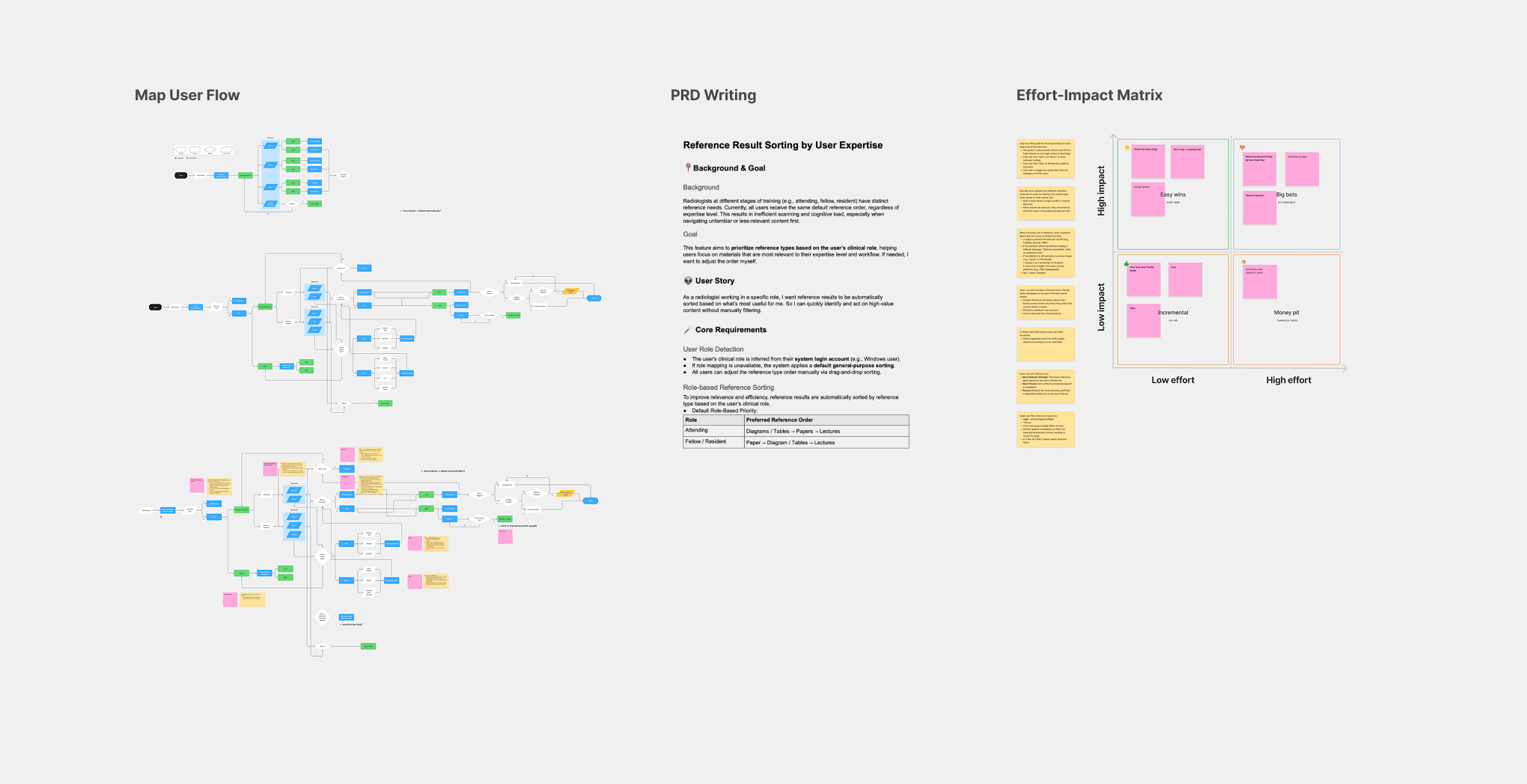
With no dedicated product or design team in place, we partnered with clinicians and engineers to define the first product roadmap. Using workflow analysis, user flows, and Impact-Effort Matrix workshops, we prioritized four features—Dark Mode, Resource Management, Intelligent Filtering, and Personalized Settings—balancing user value with technical feasibility.
4. Testing with 21 Clinicians Before Launch

Usability Testing

Design System

Developer Handoff

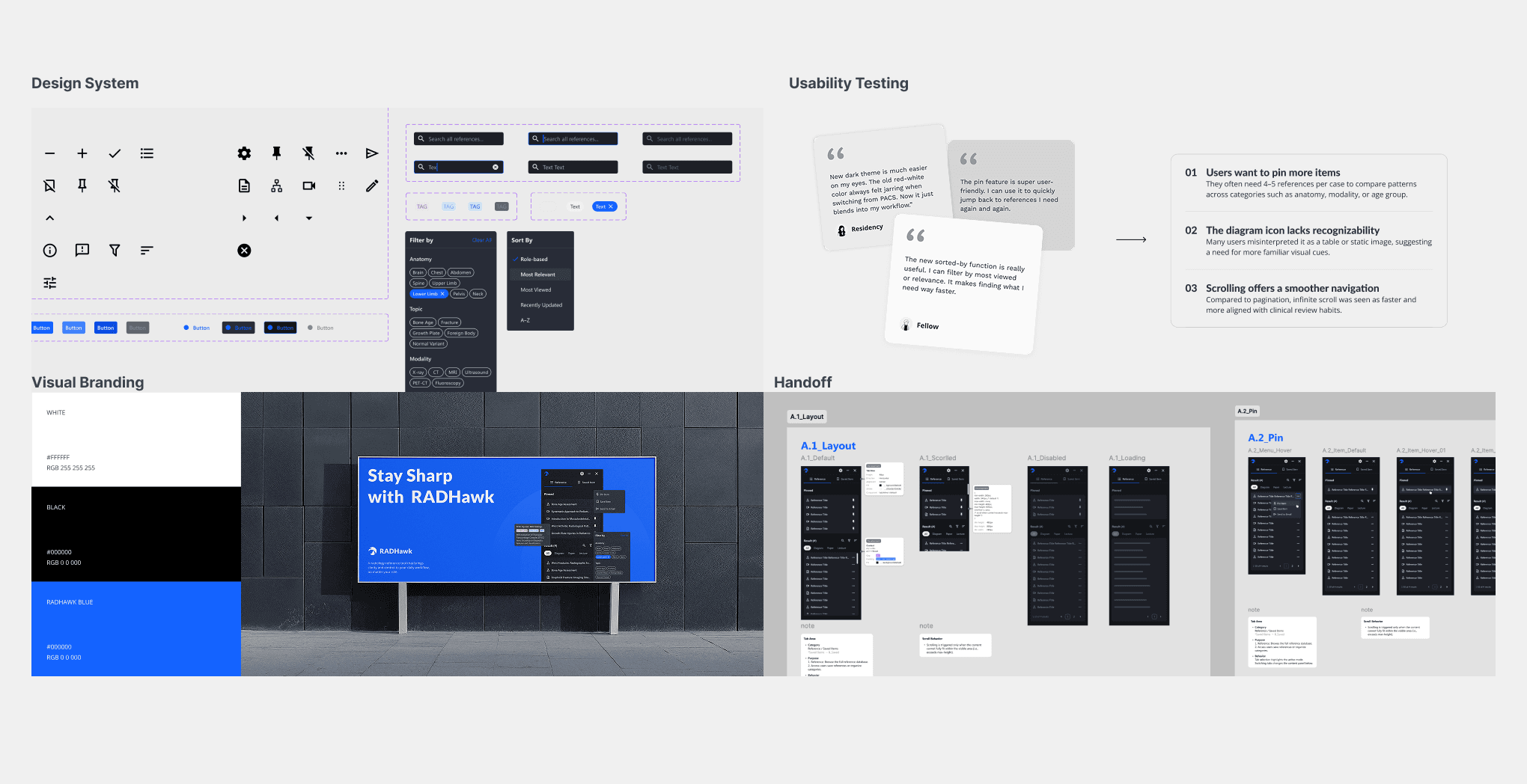
We invited 21 clinicians to evaluate the redesigned experience through Maze testing, surveys, and follow-up interviews. Feedback informed several refinements, including improved icon clarity, expanded saved-resource functionality, and infinite scrolling. The final outcome included a scalable design system, engineering-ready handoff, and measurable improvements in usability.
Learning & reflection

I learned to make data-informed decisions, design beyond the interface, and facilitate collaboration across technical and domain experts.

  • Quantifying research findings helped transform subjective feedback into actionable product decisions and clear design priorities.

  • Effective UX requires understanding the broader context around a product—including workflows, environments, industry requirements, and cognitive demands—not just the interface itself.

  • Building successful products requires facilitating conversations across designers, engineers, data scientists, and domain experts to balance user impact, development effort, and technical feasibility.

  • Quantifying research findings helped transform subjective feedback into actionable product decisions and clear design priorities.

  • Effective UX requires understanding the broader context around a product—including workflows, environments, industry requirements, and cognitive demands—not just the interface itself.

  • Building successful products requires facilitating conversations across designers, engineers, data scientists, and domain experts to balance user impact, development effort, and technical feasibility.